Disclaimer and Social

This page may contain affiliate links. As an Amazon Associate I earn from qualifying purchases.

Sunday, May 7, 2017

Well... So My Jewlery is For Sale


Some of my jewelry pieces are now officially for sale in a friend's online shop: Vintage Viewpoints. Check it out, and be sure to visit their Facebook page to see their newest pieces.


You all know that I don't normally sell my personal projects - for a variety of reasons.


Washer with dark blue and reddish purple enamel paints and metal filigree applied. Center is a lavender rose and traditional bells hung from beneath.


Usually, my projects are total experiments, really only meant to solve a specific problem or learn a technique that I can use in commercial projects. The jewelry pieces were simply proof-of-concept experiments for a totally different type of project.

However, when I shared them with a friend, they claimed to like them - and even offered to put them in their shop. Luckily, the shop owner creates in almost as many styles as I do. They understood that there will probably never be anything similar coming out of my studio ever again. and were okay with that. They finally convinced me to put some of these oddball pieces into their shop.


Another piece with a washer base. Tis one has a gradient spray painted undersurface of rose and new stem colors. I used a Silhouette Cameo craft cutter to make some rings out of Victorian scrapbook paper. A turquoise lozenge is applied to the back and peeks out from the center. A narrow metal decoration caps the piece. 


Wanted a tribal boho look for this, so I tried a few new items and techniques. The enamel paint is applied in raised dots. The filigree is bent and only present on the lower half to give it a little visual interest. The cross is upcycled from and old computer drive. But it still didn't look finished, so I added some scruffed multi-hue twine for a dramatic tail.


Since I don't do jewelry design commercially, I figured there would be no harm in letting these trinkets out into the wild.


And now that I've moved on to new problems, I'm can see them as standalone objects. I'm still somewhat underwhelmed, but there are certainly a variety of styles in this batch.

Got to have some Steampunk in your life. This is a mix of store-bought Tim Holts style gears with parts actually scavenged from old electronics for the authentic upcycled look. I popped a couple jewels and metallic shafts to add a little texture. All of it applied to a 70s era belt buckle.


I had solved the design problems I was addressing, and I had no more real use for the projects. They sort of worked for their intended purpose, and I understood how to change them to make them more effective the next time.


And I have to admit, having another creator say they like your work enough to sell it - well it was a real ego boost. I still see the projects as experiments, works in progress - but to hear that someone who creates objects that I admire actually likes the projects just as they are, well that was even better than solving an abstract problem.

Another semi-Steampunk piece featuring copper parts upcycled from an old electric motor. The jewels were mostly from various sets of broken earrings. The wings were bought new, failed at their original purpose, but found a new home in this project.


While it's unlikely I will put more projects up for sale, it's always nice when a fellow creator asks to feature some of my work. So support your local makers and crafters and artists, especially if you also create something.

And don't forget to visit the Vintage Viewpoints shop for all kinds of beautiful jewelry from a real crafter - the shop owner.


Wednesday, May 3, 2017

Make a $20 G-Force Gauge


How many Gs did you pull in that last curve? Find out with this handy board and some simple code.

So I post mostly artsy/craftsy stuff here with a smattering of technology. I do all kinds of projects, but it's hard to take a good, entertaining photo of clean code or a well planned PCB, so I stick to the visually interesting objects for most of my posts.

But a buddy of mine likes to read this blog, and he always says, "Hahaha can't turn no wheels with that...  I'm a gear head. You will have to forgive me."

Well here you go dude - something specifically made for high performance motor sports.

BTW, the detailed tutorial is over on Instructables. Check it out for all the info you need to build your own version.


The project features a multicolor LED display that shows you the G forces you're pulling - live and interactively.  It shows forces left/right for turning, braking and acceleration, and even vertical movement for bumps and humps.

It can also record the forces for you to display on a graph. Just upload the data to a computer to see how all the forces interact.


Heck, if you want to, you can even hook up the board to your laptop and watch the G-forces change as the car moves. Or hook up your webcam and sync the graph with the recorded video of your drive. The possibilities are endless.


Building the project is super simple, just download the code into the board, plug it into a battery pack or your car's cigarette lighter and put it on your dashboard. The board is the Circuit Playground board from Adafruit.com

This little beauty is one of the best of the new "all-in-one" Arduino boards. It has accelerometers, light and sound sensors, a heat sensor, a microphone and speakers, buttons and lots and lots of bright RGB LEDs to play with. And it only costs about $20 USD.


You don't even really need a case, but you can build one easily. I built a case out of layered panels and a plastic bezel. But you can get as fancy as you want. Since it fits in a standard 2" gauge frame, almost any of the aftermarket cases will work, There's tons of them on the market.


Don't worry about writing any code. The tutorial has a pre-written program and lots of notes about how to customize it. But it really is as simple as installing an app on your phone. On the other hand, this is a great way to learn about how to program an Arduino. Once you learn, you can creat thousands of fun projects of all types. Just check it out and give it a try.

For example, you can take this exact same board and, with some changes to the code, turn it into a playable piano that changes pitch and speed depending on how you tilt it. Go ahead and pick up one of these wonderful boards. You'll have hours of fun for a very small investment.


Saturday, April 29, 2017

Washer Bowl Teaser


Failure can be freeing!!! Totally messed up on my first try at making a welded washer-bowl - it turned out better than I expected - but still a total failure.

Luckily, I have a stock of spray-paint and I'm not afraid to use it. Went out into the yard and tried to obscure some of my previous errors with said paint - this is the result.


Still not happy with it ( a second round of paint is in the near future) but the paint is doing a wonderful job of masking the horrid welding. Thinking seriously now of actually emphasizing them and their texture with some spot color(s).


But... the paint hasn't even fully dried yet and I got a serious reminder. The red paint I used always "eats" any color applied over the top of it. I've tried it before, gotten a pretty two-color gradient going - then come back the next morning only to find all the second color has been swallowed by the red.

It's the Krylon Fusion paint. I actually love the paint and I use it frequently because it sticks to anything - especially plastics. Since I do a lot of mixed-media and 3d printed projects, I need a paint that I can spray on an object with two, three or even five different materials and be confident that the paint will adhere and be durable.

But I always forget that I cannot layer or glaze over like I can with standard spray paint. Some day I will learn.


There should be a gold/bronze sheen in the center of the bowl fading out to pure red around the rim with a black border. It was there just a few hours ago, I swear. But the gold and black are already disappearing and they will be almost completely .


I'm going to wait a day or two, let all the paint dry completely, then try to reapply the gold gradient and black rim. As I remember, if I wait for the Fusion basecoat to dry completely then the gradient's secondary colors will "survive" when I reapply them.

If it turns out okay I might post the results. I'm still trying to decide if my ego can take showing the raw welding. But I do have an excuse, er um - a reason - okay "I have a good story about why the welds are so bad that involves my own ineptitude and a series of unfortunate decisions."

Maybe later, if I can make the bowl somewhat attractive, I will tell the story of my own idiocy.


Also find me on: FACEBOOK 


Printing at Home vs SLS Services for Chainmail

Recently posted about some chainmail that I printed on my Monoprice Select v2. A friend asked how this chainmail differed from a version that I had printed from Shapeways.com - so here's a quick comparison.

COST

Materials: The home printer version (black) cost me pennies on the dollar compared to Shapeways. I can't state the exact costs because they are different sizes and materials, but it's something like $0.80 vs $80 for the same sized sheet. Let's just say the home-based machine has already paid for itself in material costs.

Labor and Time: Well Shapeways is super convenient, just submit the file and wait one to two weeks to get it back. With the home printer I had to convert and slice the project (15 mins) load the printer and wait for it to heat up (another 15 mins) and monitor the project over four hours. Also, I had some filament break, so I lost another two hours. Basically, Shapeways is more convenient and quicker.

Development Time: Here, the home printer definitely wins - no question. I can try small-batch experiments in minutes (the one shown here is probably about a 12 min print). I can try different sizes and shapes and heights quickly. This ability to run rapid iterations is, for me, the real reason to own your own printer.


But what about quality and strength and appearance? Well you can see from the above photo that the black PLA print is considerably more chunky, about 30% larger than the white version from Shapeways.


That's because Shapeways uses a thin laser to print the object while the home printer squeezes melted plastic out of a nozzle. That nozzle is 0.4 mm wide, so if you want two layers on each side you will get a 1.6 thick object. Both of these prints use the smallest, thinnest dimensions recommended by their manufacturers.

Strength and Appearance

I would say the black PLA print is stronger, but if the white Nylon were printed at the same size, then it would be stronger. Part of that is the material properties. Nylon is simply stronger than PLA, and PLA is kind of brittle.

However, the home printer can print other materials like modified PLAs, PETG and even some types of nylon. So with those materials, the home-printed version might be as strong, or even stronger, than the Nylon from Shapeways.

Shapeways' lasers also bond all the layers together very well which assures a consistent, dependably strong part. Home printers can also print dependably, but it's good to note that you will need to know how to set up your printer to achieve those results.

As noted, the home printed version is thicker, less delicate. The white version from Shapeways almost begins to feel like a fabric while the black PLA version, though flexible, still feels like traditional chainmail. It's flexible and comfortable and smooth to the touch - definitely wearable - but nothing like a fabric.


Conclusion

Get a home 3D printer. They still can't produce as delicate a print as the SLS from a service provider. But you can experiment quickly and to your heart's content for pennies a day. And with the huge varieties of filaments of all colors (including glow in the dark, color-changing and transparent) you can print out several different versions for the price of one experiment printed from a service provider.


Thursday, April 27, 2017

Chain Mail 3D Print - First Try

3D printed some simple Chain Mail recently. Just small sheets to begin with - about 6"x"6" inches. But I am really happy with how flexible and sturdy the result turned out.


I used some basic black PLA from Hatchbox with a layer height of 0.2 mm on the Monoprice Maker Select v2. I was worried about the huge number of bridges, but the printer worked like a champ. I slowed the print speed by 30% on the first two layers of the bridging and got a solid print with no stringing. No supports were required.


The sheets bend well in one dimension and in two dimensions. They wrap around cylinders and even drape well over sharp edged shapes. There are some oddities in that behavior that depend on the orientation and spacing of the links. Nothing to keep me from experimenting, but it is something I need to understand more before I create any real projects.


I also experimented with varying the link-size and spacing between the links to see if I could add some visual interest or patterning to the sheets. It oriented fine, but the differences didn't show up as well as I had hoped. This might be because the chain mail was all black - maybe another color or surface finish would show the variations more effectively.


I also added a few through-holes along the edges of the small sheet so that I could tie several sheets together to form a larger sheet. It kind of defeats the concept of "pure 3D design," but it's a simple solution that I can use right now.


Overall, this is a successful experiment for me. I'm already working on a more finished piece with some extra goodies and techniques thrown in. Hopefully, I will have a small piece ready to wear soon.
Also find me on: FACEBOOK 


Tuesday, April 25, 2017

Rainy Day Retouching

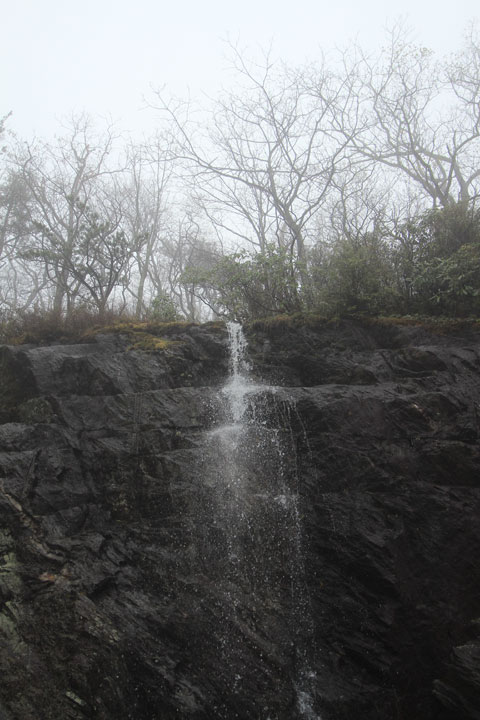
Have been wanting to play around with PS again for quite a while now, and the opportunity finally presented itself. We've been having several rainy days all week. Between the newly formed cascades and being indoors, this was the perfect time to dust off a few darkroom skills.


The results are okay, but I've forgotten almost everything I once knew. But hey, that's one of the compromises for switching mediums and project-types as frequently as I do. At least I remembered where the commands were. The atrophy showed up in more in my creative judgement - just couldn't get the images to do what I wanted.


After a frustrating first half-hour, some of the skills started to show up and I could at least begin to tee some of my ideas take shape. Like I said, the result is so-so, but it really felt good just to play around and stretch my Photoshop muscles again after so long. The experience reminded me of why I used to like working in this medium, so there might be more projects like this in the future.


And here's the original image


My self assigned task was to make the image a little more painterly, or at least more dramatically lit. I succeeded in that, but now I'm not sure the overall affect is better - it wasn't what I was after.

But it was a great way to spend a rainy evening, so everything is, as always, very very good.


Sunday, April 23, 2017

Wire Wrapping Class

Attended a beginner's wire-wrapping class. The teacher was great with newbies like me. She made it seem simple, and her explanations of the techniques and materials made the whole process accessible and achievable.


Despite having a numb, heavily wrapped thumb, even clumsy me managed to create a passable length of a basic weave and wrap it around a stone. It's not the prettiest project from the class, and definitely not professional quality. As usual, I tried to do something a little fancier than the lesson required and created needless technical issues that came back to bite me


But for a first try, I am pretty happy with it.


The most important takeaway, for me at least, is that you can start with basic materials from the hardware and hobby stores. You do not need expensive silver and gold wire to practice with. Even the copper wire scraps from my electronics projects are good enough to practice with.


Well actually, I guess the MOST important lesson is that the process is fun, easy and even relaxing. I had always thought it would be complex (and it can be at advanced levels) but the teacher and other class members were so enjoyable that I wound up learning about a new craft while laughing for most of the evening.

Wednesday, April 19, 2017

Party Light with EL-Wire

One of the easiest ways to add some "wow" to any lighting project - EL-wire is cheap and super simple to work with. This project adds some reflective panels courtesy of the fins from a gigantic aluminum heat-sink that I scavenged from a discarded stereo.

The spacing between the fins was perfect for the width of the EL-wire. And the polished metal surface gave a cool 3D effect to the project.


You can see the "wire" wrapped around the base in this photo, and notice how the light reflects all the way to the top because of the shininess of the metal.


The light carries all the way to the outside edge of the aluminum heat-sink. Usually, EL-wire projects are either flat or a 3D wireframe. But the heat-sink looks like a 4x4 cube and the way the light falls off and reflects adds to the three dimensional effect.

Also, the aluminum fins hide the EL-wire itself except for certain angles. So the look of the light changes as you move around it.


El-wire is very simple to install and run; just plug it and turn it on. You can find controllers of various power levels, everything from a coin cell, 1xAAA to 4xAA on up to 12v. The more power the controller is the more wire you can run and the brighter the glow is.

Most of the controllers have at least a few display modes (always on, slow blink, fast blink etc.) There are versions that react to sound. And Sparkfun has two versions that use Arduinos to create programmable displays with up to 8x different wires.


If you want to create your own party-light I would strongly suggest buying your supplies from either Sparkfun or from Adafruit. Both of these companies feature high quality, durable and very bright versions of EL-wire components. I have bought the cheap versions from other vendors. They do work, but they are always much dimmer and more fragile. If you want a dependable, brightly glowing version stick to the versions from Sparkfun or Adafruit - they are worth the extra cost in the long run.

Also check out my glowing pillow project on Instructables for more ideas about how to use EL-wire.

Or how about my 3d printed EL-wire bracelet for raves and festivals.

Wednesday, April 12, 2017

RC Airboat Built From Scrap

Last summer's project was a working remote controlled airboat made from a broken toy drone, some holiday ornaments and a squeegee. It worked better than I ever expected - a little slow, but for less than $5 in parts it was a blast to build and to play with.

Full, step-by-step building instructions are over on the Instructables website.

RC airboat built from quadcopter drone


This year I want to learn how to hook up an Arduino to a real brushless motor and ESC (electronic speed controller) and build a much faster airboat. My brain tells me to build a land-based RC vehicle first, but the lure of the lake is strong.


Tuesday, April 4, 2017

Nightlight from Digital Picture Frame

A controllable nightlight (moodlight?) made by combining a hand-me-down digital picture frame and several layers of paper cutouts.

You control the color by choosing the image that is displayed. You can also set the digital frame to random cycle for an ever changing display. I liked strong geometric images or blurry ambient images. Somehow, "regular" images didn't work as well for me.

The patterns, layer-spacing and the thickness of the paper cutouts really affect the look of the moodlight. The cutouts shown here are made from discarded failures from other projects.

Theoretically (I did not accomplish this) you could hack the frame's IR remote with an Arduino or Raspberry Pi to create an "ambilight" or other sensing/smart or IOT display.

Digital moodlight nightlight upcycle


I also tried this behind a blank mounted canvas. It made for a nice diffused look, especially when used with blurry landscapes and still-lifes.

I also tried acrylic and plastic cutouts etc. They were very eye catching, but they reminded me of 70's sci-fi movie sets. Cool for certain events, but not what I was after.

If I can find those pics, or recreate them, I will post pics of these also.

Saturday, March 25, 2017

Terrarium Frame - First Tests

Been designing a 3D-printed frame for a small terrarium. For the first test I used a clear plastic holiday ornament that is 100mm diameter. I went through a few iterations with the basic design

Some lessons learned:
  1. Flat pack, assembled designs print much quicker than monolithic, one-piece designs
  2. Tolerances are very important in assembled designs
  3. The simpler the joints the easier it is to control tolerances
  4. Test-fit one sample joints before printing multiples
  5. No shame in sanding-to-fit


I am playing with variations of this concept - different shapes, sizes and styles. I will share more details about all the designs and the design-process soon, but I also need to digest the lessons-learned before I can articulate them. (Update: Painted the frame with a faux antique bronze)

3D printed Terrarium frame


Also find me on: FACEBOOK 


Friday, March 17, 2017

Throwing Light #2 - Channel Size & Angled Reflector


Learned a lot about the basics of throwing and controlling light from NeoPixels in Part-1 of this series. But I wasn't getting the amount of light I wanted, probably because I was using a 3v board instead of a 5v - the LEDs are simply not as bright as I'm used to.

I decided to see if bigger "channels" would allow more light to be output, and whether adding a 45 degree "reflector" over the NeoPixels would help project more light.

The answer to both questions is YES: larger light channels do help, and an angled reflector helps (especially when silvered). And painting the channel with silver paint makes a huge differences at both sizes.


The design of the medallion remains essentially the same except for the increased depth of the channels.


Do Bigger Channels Make Brighter Light Rays

Yes, more light escapes from bigger channels. But to make a noticeable difference, I had to make the much larger. So much larger that it makes the pendant slightly bulky, almost 8mm total thickness. And, it is so large I could now put a strip of NeoPixels "on edge" and project the light directly down the channel instead of bouncing it 90 degrees.

To test, I printed the thinnest pendant I could, with the channel's top only about 1mm above the face of the LED. Then I printed another one with roof about 4mm above the NeoPixel. You can see the results below.

With the raw black PLA the difference is noticeable, but not extreme (blue light). The difference is much more pronounced when the interior of the channels is painted with silver paint (shown in red at bottom of page)


A comparison of the amount of light coming out of a 1x4mm channel (top) and a larger 4x4mm channel (bottom). Notice that there is a distinct difference in the amount of light emitted from the two channels. This is the raw black PLA print. Even more light is emitted when the interior of the channel is painted with reflective paint.

Do Angled Reflector Surfaces Really Work
Yes, especially if the reflector-panel is painted with silver paint. The raw black PLA does reflect some additional light from the angled surface (blue image). But if the angled surface is painted silver, then the effect is much more pronounced. Unfortunately, the silver also scatters the light in all direction, making the "ray" shape less pronounced.

I wonder if only painting the angled surface, but not the rest of the channel would be "the best of both worlds" - bouncing more light, but scattering it less. Or maybe a tiny mosaic mirror would be ideal for reflecting and directing light. But as noted, at this thickness, the NeoPixels could be mounted vertically, negating the need for any reflector altogether.

An angled surface (shown at right above) was added to one half of the medallion. I wanted to see if the angled surface would reflect more light from the LEDs (shown as the red boxes).

Even the raw black PLA shoes a small increase in the amount of light when using an angled surface.


When the interior surfaces of the channels are painted silver, the
amount of light reflected off the angled surfaces increases dramatically.


Next, in Part 3, I experiment with gobos and patterns to throw shapes with the light rays


Also find me on:
FACEBOOK -or- INSTRUCTABLES -or- YOUTUBE

Saturday, March 4, 2017

Throwing Light #1

How to Throw and Channel Light with 3D Prints

Part 1 - Part 2 - Part 3 

I am learning how to sculpt light using 3D printed shapes, but understanding how to create specific effects is sometimes difficult. I can't always predict what is going to happen. So I started doing methodical experiments to find out what affects light's behavior, and more specifically, how I can control light to achieve the effects reliably. This post documents one of a series of ongoing experiments.

Notice how the right-side is brighter, but the light is more scattered. The left side has much more defined "rays" but isn't as bright. Also notice how some of the colors get absorbed (are dimmer) on the left side.

Questions I wanted to explore:
  • How does the type 3D material affect the light?
  • Does a reflective surface increase distance and brightness?
  • How far can I throw the light?
  • How does the shape, length or size of the channel affect the light?
  • Does the shape, length etc. affect how quickly the light cone expands
  • Can I shape the light with gobos, masks and cut-outs?
  • Can I throw light sideways as well as forwards?

Right now, I'm back on a jewelry making kick - embedding lights and sensors into decorative wearables. So I used jewelry-based designs to explore these questions. I wanted to move beyond a simple glowing or twinkling effect - I wanted to be able to cast shaped rays of light.

My new favorite toy for illuminating jewelry is the "Circuit Playground" board from Adafruit - it's the board used in this experiment. This little board comes with 10 Neopixels, plus built-in buttons and sensors. How about a 3-axis motion sensor, a light, color sensor, temperature sensor and a built-in microphone and speaker, all on one slim convenient board. (An even more powerful M0-based board is now available)


I designed a simple cover to fit over the top of the Circuit Playground board. There are square "channels" that fit over the NeoPixels and reflect the light out to the side of the medallion cover. The channels ranged from about 12mm to 20mm in length and about 4mm in width (the LEDs are 3.5). The top of the channel is about 2mm above the surface of the LED and 3mm total height.

For this experiment I wanted to throw light out of the side of a medallion, but not the front. I had already played with non-opaque and semi-translucent materials to create glowing objects. So I used black, standard PLA from Hatchbox. It is slightly shiny when printed and totally opaque to light at thicknesses over 0.7mm.

I painted half of the medallion's inside surface with "metallic silver" paint and left the other half raw black PLA. I also scuffed some of the raw PLA channels to see if a matte finish made a difference in the amount of light transmitted.


 What I Discovered in The First Test
  • YES - The choice of 3D printing material does affect the quality of light. The PLA seems to absorb some colors while leaving other colors unchanged.
  • YES - The shiny, printed PLA does reflect some of the light. Sanding the surface to a matte finish does have an affect on the amount of light that is emitted, but it is a minimal difference.
  • YES - Painting the inside of the light-channel with silver or white paint increases the amount of light emitted - increases it significantly. It also increases the distance the light travels away from the medallion.
  • HOWEVER - The reflectively painted channels also disperse the light much more quickly. This causes the "rays" to be much less defined. The light scatters so quickly that the ray-effect is lost after only a few millimeters.
  • AND - The silver/white paint has almost no affect on the color rendition of the light
  • NO - The length of the channel did not seem to affect the amount of light emitted. But the variance of 8mm between shortest and longest channel might not be enough to give a true indication. Without a channel the LEDs simply glow and do not create a ray. And longer channels may affect the amount of light more significantly.
  • ADJACENT SURFACES - The surface that the light gets projected onto can affect the appearance of the rays. Dark materials and matte surfaces create shorter visible rays. Light surfaces and reflective surfaces create much longer rays.
  • VERTICAL SURFACES - Although a parallel surface stops showing significant amounts of light after a few millimeters, a surface perpendicular to the light can be illuminated when it's several feet away.
  • BEHIND THE MEDALLION - The light rays expand in all directions, so the rays can also illuminate surfaces that are behind the medallion. This effect increases with the distance from the "mouth" of the light channel. So if the medallion is set an inch away from the wall, the rays will only begin shining on the wall surface after they travel several millimeters away from the medallion.
  • ALSO NOTE: The 3v Circuit Playground board does not put out nearly as much light as a 5v board. The LEDs are still blindingly bright, but the 3v version does not cast the light nearly as far as my older 5v experiments.


Future Experiments
  • Does the height of the light channel affect the distance the light rays travel?
  • Does an angled surface near the LED affect the amount or quality of light emitted? 
  • Can the channel surfaces be painted "selectively" to increase the amount of light while keeping the light more tightly focused and avoid scattering?
  • Does "reflective safety" paint act differently than "metallic silver" paint used here.
  • How well do gobos, masks and grills work to create shapes within the light rays.
  • Do these findings hold true for LEDs placed parallel to the light channels instead of perpendicular like in this experiment?
  • What are the minimum and maximum lengths of the light channels for specific effects?
More experimentation: Part 2 - Part 3 


Also find me on:
FACEBOOK -or- INSTRUCTABLES -or- YOUTUBE


As an Amazon Associate I earn from qualifying purchases.
Shop through our Amazon links to help support this site.

Also find me on: